

How to sync Airbnb and Booking.com with iCal, step by step
Connect your Airbnb and Booking.com calendars in both directions to block dates automatically and reduce the risk of double bookings.
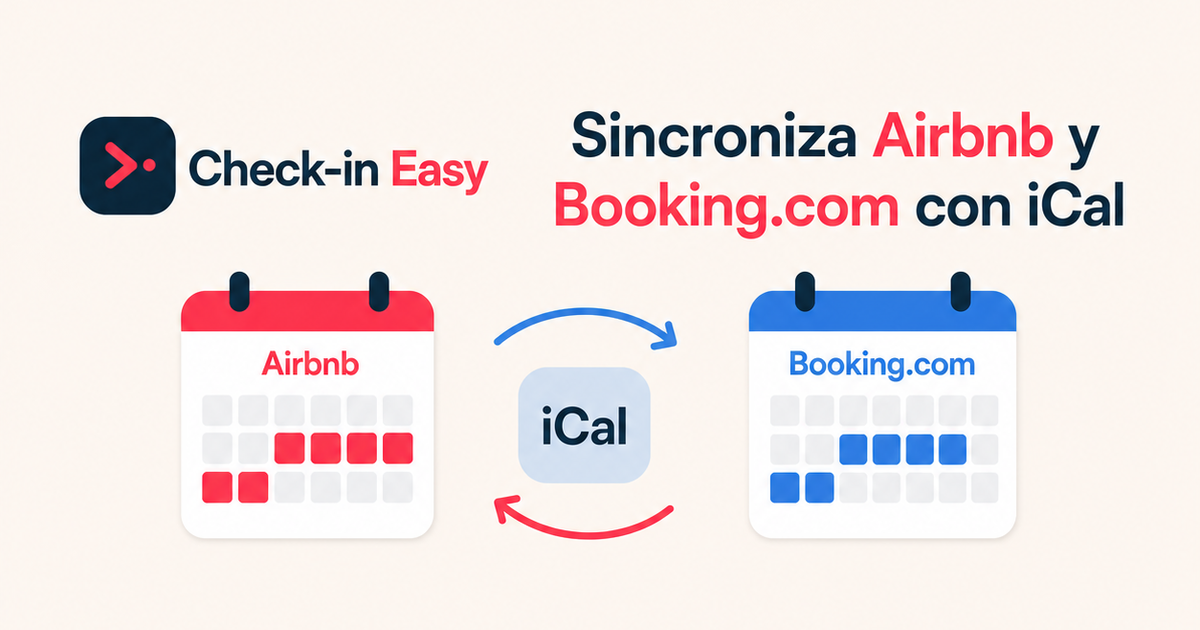
If you advertise the same accommodation on Airbnb and Booking.com, a two-way iCal sync helps a reservation on one platform block the same dates on the other. It is free and straightforward, but it is not instant.
Quick summary: we will copy the Airbnb link into Booking.com, then copy the Booking.com link into Airbnb. Both links are required for two-way synchronisation.
What iCal syncs —and what it does not
iCal mainly exchanges booked or closed dates. It does not synchronise prices, multi-unit inventory, messages, guest details, rules, minimum stays or listing content.
Airbnb says imported calendars update automatically every three hours. Booking.com says connected calendars are imported every two hours. This leaves a window in which a double booking could still occur.
iCal may be enough for one accommodation. If you manage several units, need real-time inventory or update prices across channels, consider a channel manager or PMS.
Before you start
- Confirm the Airbnb listing and Booking.com room or unit represent exactly the same accommodation.
- Sign in to both accounts on a computer.
- Do not publish or forward iCal links: they contain a private identifier that exposes calendar availability.
- Repeat the process separately for every listing or unit.
1. Copy the Airbnb iCal link
On Airbnb:
- Open Calendar and select the listing.
- Open Availability.
- Under Connect calendars, choose Connect to another website.
- Copy the Airbnb calendar link.
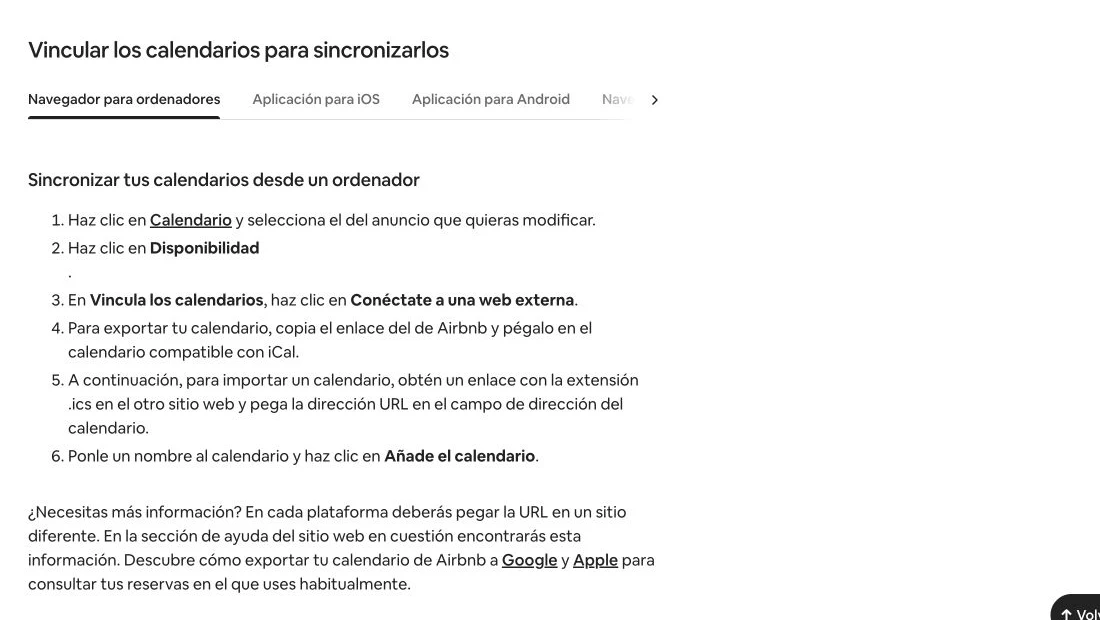
Screenshot from Airbnb’s Help Centre. Labels may vary slightly with your account language.
Keep the link somewhere secure for a moment. Do not paste it back into Airbnb: this is the link you will import into Booking.com.
2. Import Airbnb into Booking.com
In the Booking.com extranet:
- Go to Rates & Availability → Sync calendars.
- Find the correct room or unit and select Add calendar connection.
- Paste the Airbnb link.
- Give it a clear name, such as
Airbnb — City apartment. - Select Next step, then Done.
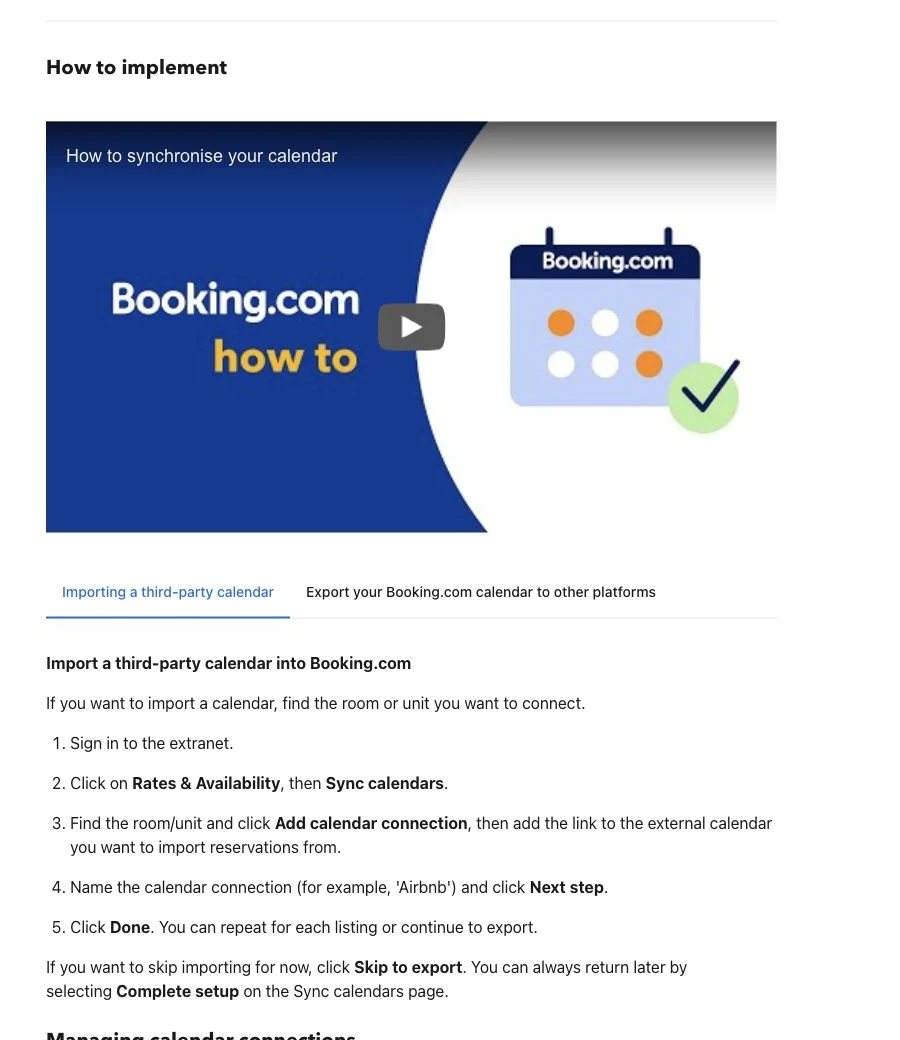
Booking.com attaches each connection to a room or unit, so check that selection before continuing.
3. Copy the Booking.com iCal link
Without leaving the setup:
- Select Add calendar connection. If you have already completed the import, continue to export; otherwise select Skip to export.
- Name the connection.
- Select Copy link to copy the Booking.com calendar link.
- Finish with Done.
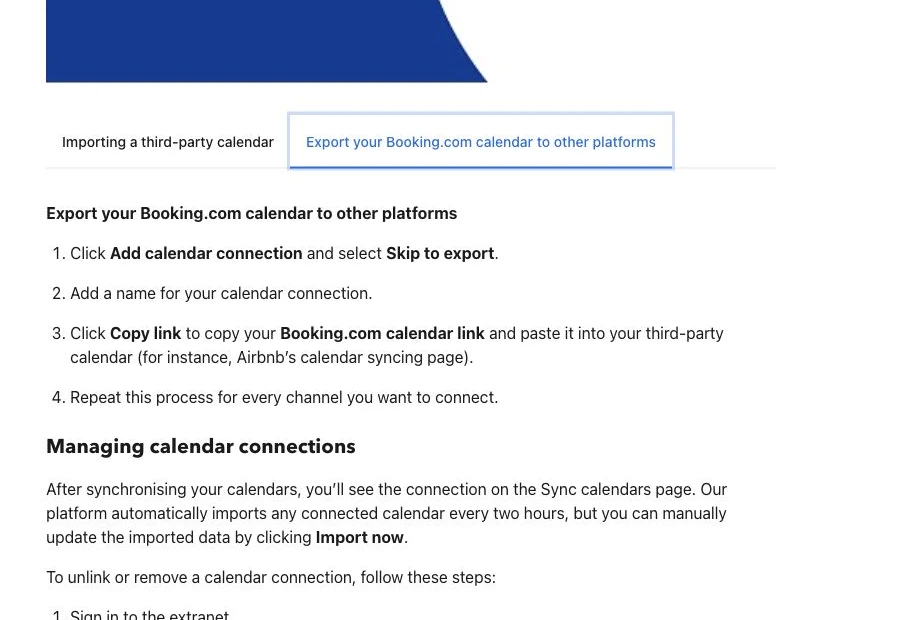
The same page lets you trigger “Import now” and displays the status of each connection.
4. Import Booking.com into Airbnb
Return to Calendar → Availability → Connect calendars → Connect to another website on Airbnb:
- Paste the Booking.com link into the calendar address field.
- Name it
Booking.com. - Select Add calendar.
Airbnb recommends an imported URL ending in .ics. Booking.com’s own link may contain /ical/ rather than displaying that extension at the end; always use the extranet’s Copy link button.
5. Verify the synchronisation
Do not consider the setup complete until you test it:
- Manually block a future night on Airbnb with no nearby reservations.
- On Booking.com, select Import now and check that the night becomes closed.
- Unblock it and repeat the test in the opposite direction.
- Check that Booking.com displays Okay for the connection. Import only or Export only means only one direction is active.
Use a distant date and restore its availability when the test is complete.
If “Sync calendars” is missing on Booking.com
Calendar sync is not available to every property. Booking.com says the property must be open and bookable, the user must have rates and availability permission, the property must have no more than 20 room types with one unit per type, and no connectivity provider can be active.
If you do not meet those conditions, Booking.com recommends using a connectivity provider. Never reuse a link belonging to a different room.
Common problems
Dates do not update immediately
This is expected: iCal uses periodic polling. Use Refresh on Airbnb or Import now on Booking.com, then check again.
The link is invalid
Copy it again from the official button with no spaces or line breaks. Do not use the web page address from the browser bar.
It only syncs one way
You imported one calendar but not the other. Confirm Airbnb is imported into Booking.com and Booking.com is imported into Airbnb.
A blocked date does not appear on the other platform
Not every block is treated in the same way. Airbnb warns that some restrictions, such as preparation time or advance notice, may not appear on the other calendar. Always verify important closures.
Recommended maintenance
- Check connection status every month.
- After a last-minute booking, force an update and verify the other channel.
- If you regenerate or disconnect a calendar, replace the link on the other platform.
- If you suspect a link has been shared, remove the connection and create a new one.
Official sources: Airbnb calendar synchronisation and Booking.com calendar synchronisation.
Interfaces change frequently. This tutorial was verified on 8 August 2026.
Want to centralise arrivals from every channel?
Manage check-in, guest details and authority reporting from one place.
Try Check-in Easy